
የ iOS መክፈቻ

ተኝተው እያለ የፊት መታወቂያ እንዴት መክፈት ይቻላል?
From iPhone X to the later models (iPhone 17/17 Pro/17 Pro Max), Apple has been using Face ID instead of…
ተጨማሪ ያንብቡ »
በ iPhone፣ iPad ወይም Mac ላይ የአፕል አይዲ የይለፍ ቃልን እንዴት ዳግም ማስጀመር እንደሚቻል
Apple ID and password are vital when it comes to accessing and using most of the software and even hardware…
ተጨማሪ ያንብቡ »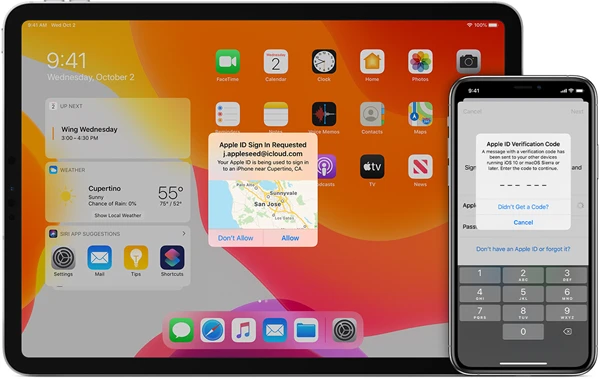
በ iPhone ላይ የሁለት-ደረጃ ማረጋገጫን እንዴት ማጥፋት እንደሚቻል?
One of the selling points of Apple devices is the importance it places on users’ data security and privacy. Two-factor…
ተጨማሪ ያንብቡ »
የይለፍ ቃል ሳይኖር የእኔን iPhone እንዴት ማግኘት እንደሚቻል
The Find My iPhone feature in iOS devices is one of the most important features simply because it can help…
ተጨማሪ ያንብቡ »
ይህ አይፎን ከአፕል አይዲ ጋር የተገናኘ ነው፣ እንዴት ማለፍ እንደሚቻል
If you have purchased a second-hand iPhone, you may have seen the error code “This iPhone is linked to an…
ተጨማሪ ያንብቡ »
በ iPhone ላይ የይለፍ ቃል በመጠቀም/ያለይለፍ ቃል የመቆለፊያ ማያ ገጽን እንዴት ማጥፋት እንደሚቻል
One of the most important ways to protect your iPhone is to implement a passcode. However, there are times when…
ተጨማሪ ያንብቡ »
የ iPhone የይለፍ ኮድ እየሰራ አይደለም ችግርን ለማስተካከል 5 ቀላል መንገዶች
“When I entered my passcode, the same passcode I have been using for 3 years, it was wrong…now my iPhone…
ተጨማሪ ያንብቡ »
የይለፍ ኮድ ሳይኖር iPhoneን ለማጥፋት 5 ዘዴዎች (iOS 18/iOS 26 ይደገፋል)
You may want to erase an iPhone 16/15/14/13/12/11/XS/XR/X/8 or iPad Pro/Air/mini for various reasons. For example: You are going to…
ተጨማሪ ያንብቡ »
IPhone ያለ ሲም ካርድ መከፈቱን እንዴት ማረጋገጥ እንደሚቻል
Choosing to purchase a second-hand iPhone is an affordable way to get your hands on a great device. But before…
ተጨማሪ ያንብቡ »
የይለፍ ቃል ሳይኖር የተቆለፈ iPhone እንዴት ማግኘት እንደሚቻል
You choose to set a passcode on your iPhone to protect the information on the device. However, you will be…
ተጨማሪ ያንብቡ »